Spinstack agents can use external services like Gmail, Slack, Google Sheets, and thousands of other apps. These integrations are powered by Composio — so credentials are handled securely off Spinstack, and you choose for each tool whether to use your account for everyone or let each user connect their own. This guide explains how to connect services, set authentication mode, and what your users see when they need to connect.
Where to connect your accounts
Your own connections (used when an agent runs in creator mode) are managed from Settings → Integrations. Open your user menu in the top-right of the Spinstack app and click Integrations. You’ll see a searchable list of available services (Gmail, Slack, GitHub, Reddit, etc.).
Click Connect on a service to open a popup where you sign in with that provider. Once connected, that account is available to any of your agents that use that integration in creator mode. You can disconnect at any time from the same page; disconnecting will affect any agent that relies on that connection.
If you add a Composio tool to an agent in Agent Studio and run or test before connecting, Spinstack will prompt you to connect the missing service — you can complete the connection from that prompt or go to Settings → Integrations and connect there first.
Adding integrations to your agent
In Agent Studio, when you build or edit an agent, you add steps from the tools panel. Many of these tools are Composio integrations: Gmail, Slack, Google Drive, GitHub, Reddit, and many more. When you add a Composio tool to the canvas, you configure its inputs and one important choice: Authentication Mode.
Each integration step has an Authentication Mode dropdown in the node’s settings panel. The two options are:
- Creator (use your account) — Every run of the agent uses your connected account for this step. You connect once in Settings → Integrations (or when prompted in Agent Studio). Your end users never see a connection screen for this tool. Use this when the action should always happen on your behalf — e.g. posting to your company Slack, or reading from a shared Google Sheet you own.
- End User (each user authenticates) — Each person who uses your agent must connect their own account for this step. The first time they run the agent (or open the app), they’ll be directed to the Service Connections page to connect the required service. Use this when the action should use the user’s own data — e.g. “send an email from the user’s Gmail” or “post to the user’s Reddit account”.
You can mix modes in a single agent: for example, one step might use your Slack (creator) and another might use each user’s Gmail (end user). Set the mode per tool in the tool’s node panel.
When your users see the Service Connections page
The Service Connections page in your agent’s user portal only appears when your agent has at least one integration set to end-user mode. If every integration uses creator mode, your users never see this page — everything runs with your connected accounts.
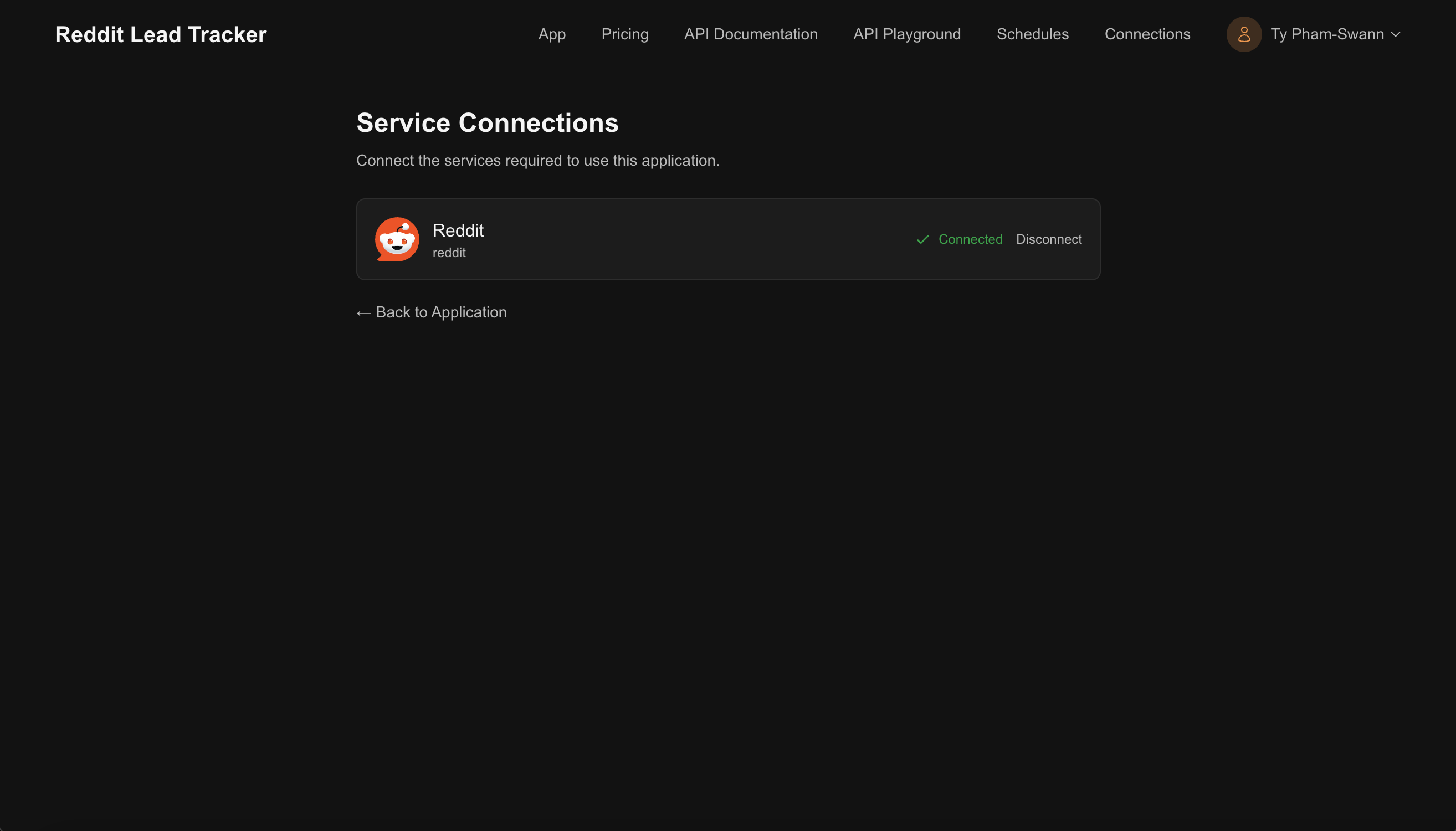
When an integration is in end-user mode, each user must connect the required service (e.g. Gmail, Reddit) before they can run the agent. They do this from the Service Connections page: they click Connect, complete the provider’s OAuth flow, and then they can use the agent. The connection is stored per user and is used only for that user’s runs.
If you add a new end-user integration to an already-published agent, existing users will be prompted to connect it the next time they use the agent or visit the portal.
How credentials are stored
Integrations that go through Composio (Gmail, Slack, and the rest of the Composio catalog) never store credentials on Spinstack. OAuth tokens and connection details are managed by Composio; Spinstack only requests execution of an action using the appropriate connection (yours for creator mode, or the end user’s for end-user mode).
Agents can also use custom tools that are not part of Composio. Credentials for those custom tools, when required, are stored securely on Spinstack and are only used when running the agent. Most agents rely on Composio integrations and do not need custom-tool credentials.
Frequently asked questions
Can I use both creator and end-user mode in the same agent?
Yes. Each tool step has its own Authentication Mode. You might use your Slack (creator) to post a summary, and each user’s Gmail (end user) to send them an email. Set the mode when you add or edit the tool in Agent Studio.
What happens if I disconnect an integration in Settings?
Any agent that uses that integration in creator mode will no longer have access to it. Runs that need that step will fail until you reconnect or remove the step. Disconnecting does not delete your agent; it only removes the connection.
My user says they can’t run the agent. What should they check?
If the agent uses any end-user integrations, they must connect those services on the Service Connections page (in the user portal) before running the agent. Have them open the portal, go to Service Connections, and connect any services shown as required. If they’ve already connected, they may need to reconnect if the token expired or was revoked.
Does changing auth mode require republishing?
Yes. Changing an integration from creator to end-user (or the other way around) is a change to the agent definition. Save in Agent Studio and republish so the updated behavior is reflected in your live app and API.
Ready to connect your services?
Open your user menu and go to Integrations to connect Gmail, Slack, and more. Then add those tools in Agent Studio and choose creator or end-user mode for each step.
Go to Integrations